How-To Guide: GOAL Modelling - Professional

How-To Guide for:

This page will focus on how to use both Professional Models:

  • The xG Model (Insert Link)
  • The Acca Builder

The xG Model is our go-to tool for analysing individual fixtures. Whilst the Acca Builder does what it says on the tin – build your accumulator.

With data ranging from the last 3 seasons, to the current season, right up until their most recent game. We have taken complex data and made it clear.


This page outlines these tools – step by step.

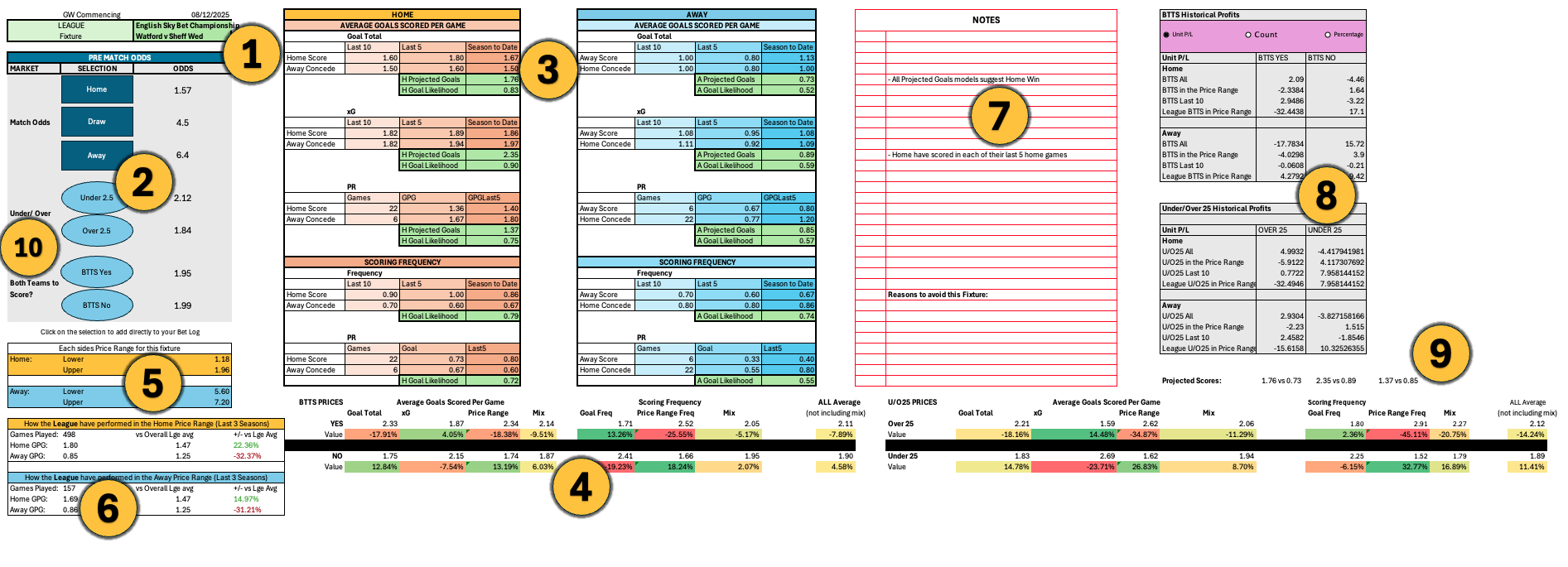
1. Select Your League and Fixture

  • Choose from one of the Main 5 European Leagues + English Championship.
  • After selecting a league, choose your fixture from the upcoming games.

2. Instant Odds Display

  • After choosing your fixture, the odds will automatically load for Match Odds, Under/Over 2.5, and BTTS.

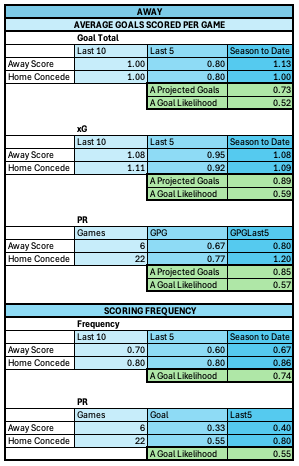
3. Home and Away xG Charts

Visual projections for both teams include:

  • 5 Different Goal Likelihoods
  • 3 Different Projected Goal Totals

Calculated using: 

  • Goals Scored/Conceded
  • xG Totals
  • Goals Scored/Conceded in this Price Range
  • Form from the last 5 games, 10 games and Full season

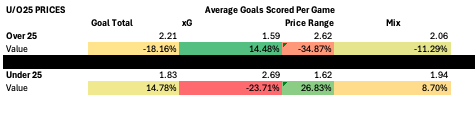
4. Calculated vs Market Odds

Along the bottom of the Model you’ll see:

  • Each market’s ‘fair’ value price
  • A combined average across all of our metrics
  • Instant value indicators

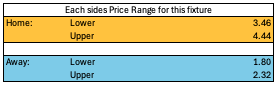
5. Price Range for Each Team

  • See the price range filters we are using for both sides

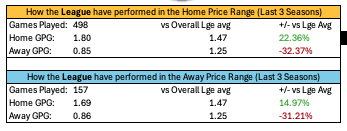
6. League-Wide Performance

  • See how all the teams in this league have performed at these odds – compare their goals to the average in the league over the past 3 seasons

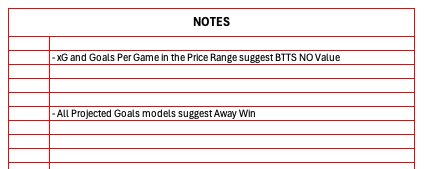
7. Expert Notes

  • Key data and insights are summarised for you to quickly spot significant trends

8. Form Over the Years

Review:

  • P/L
  • Number of Scenarios
  • Percentages

Split across the last 10 games, in the price range, and overall for team and league

9. Projected Scorelines

  • An easy-view display of what our model expects the scoreline to be – based on each difference pricing category

10. Send Selection to BetLog

  • Found a value bet? Export it directly to your BetLog with one click

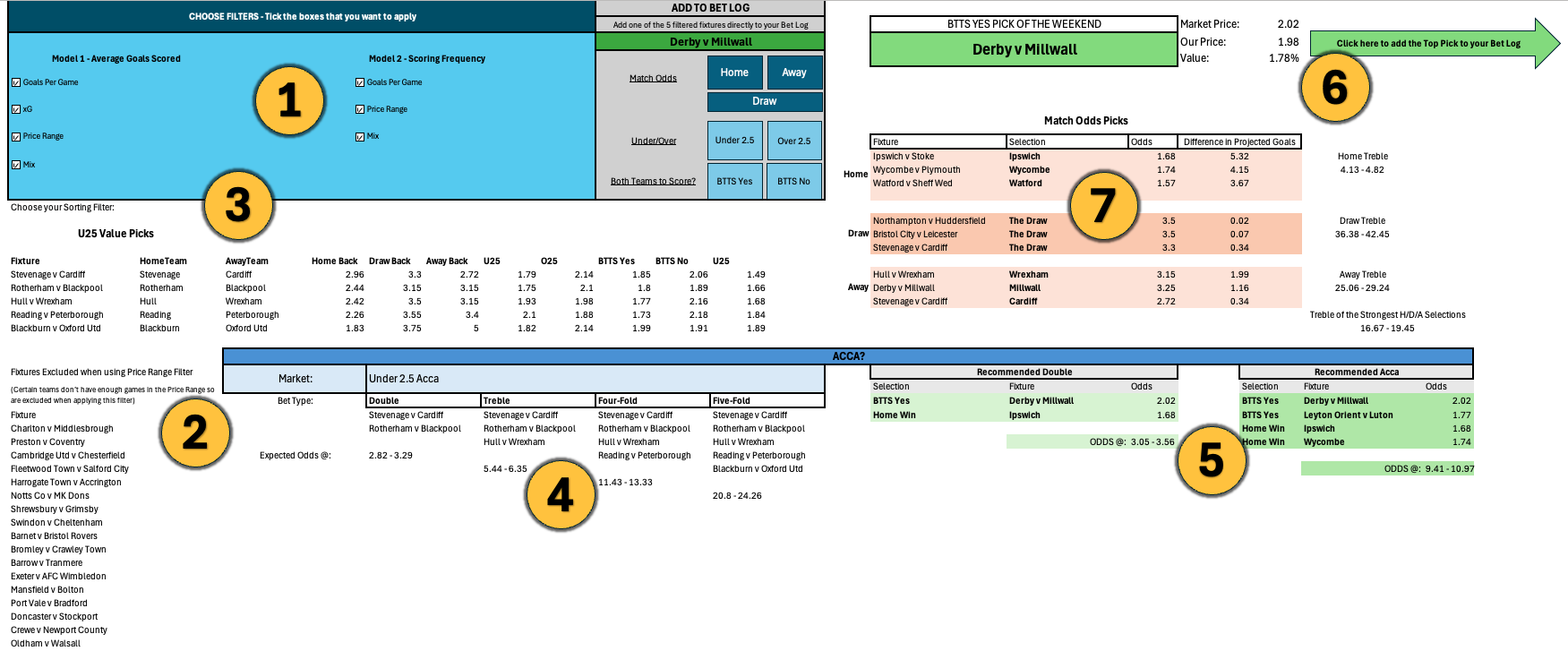
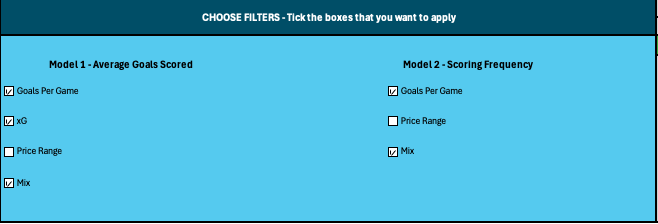
1. Apply Your Filters

  • Select from the same criteria used in the xG Model:

xG, Price Range, Average Goals, Goal Frequency

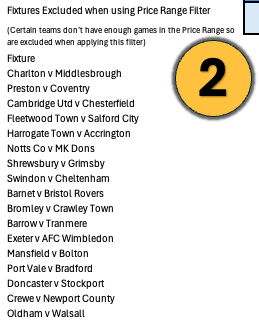
2. Excluded Fixtures

  • If a team doesn’t have enough valid price range data, we’ll exclude them – and show you who’s been removed
  • Fixtures will only be excluded when you have the price range filter ticked

3. Value in a Chosen Market

Do you want…

  • Value BTTS Picks?
  • High-Scoring Home Sides?
  • Close Games?

We have over 15 filters available for you to explore

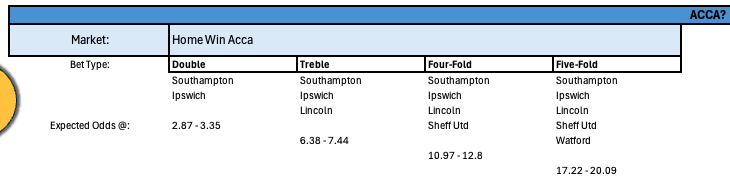
4. Accumulator Selections

Instantly Get:

  • Suggested double, treble, four-fold and five-fold
  • All picks relevant to your chosen market in step 3.

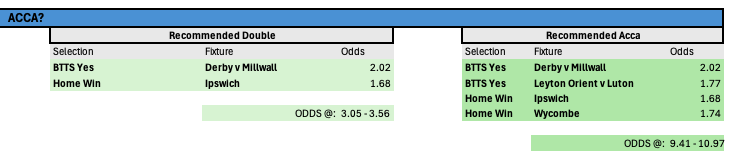
5. Recommended Bets

Data driven multi-market acca:

  • BTTS + Match Odds Double
  • Four-Fold acca with our strongest weekend selections

6. BTTS Pick of the Weekend

  • Our standout selection – send it straight to your BetLog

7. Top 3 Trebles

  • View the strongest Match Odds trebles for each Home/Draw/Away

Track your selections or automate them via bot integration.


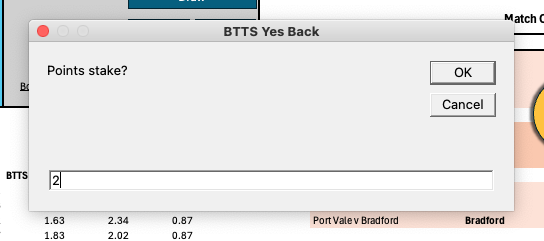
Across both the xG Model and Acca Builder, you’ll regularly come across the ‘Add to BetLog’ option. When you do:


  • Choose whether it’s a back or a lay
  • Enter your stake
  • Your Selection will be saved in the BetLog


The BetLog is fully compatible with the BF Bot Manager – just save as a CSV and upload. For those without a bot, the BetLog is still a way for you to stay organised and store your selections in one place whilst you continue identifying value across the leagues.